Jenkins CI/CD: From Developer Push to Production Deployment
- Amaranath Pokuri
- 18 Jul, 2026
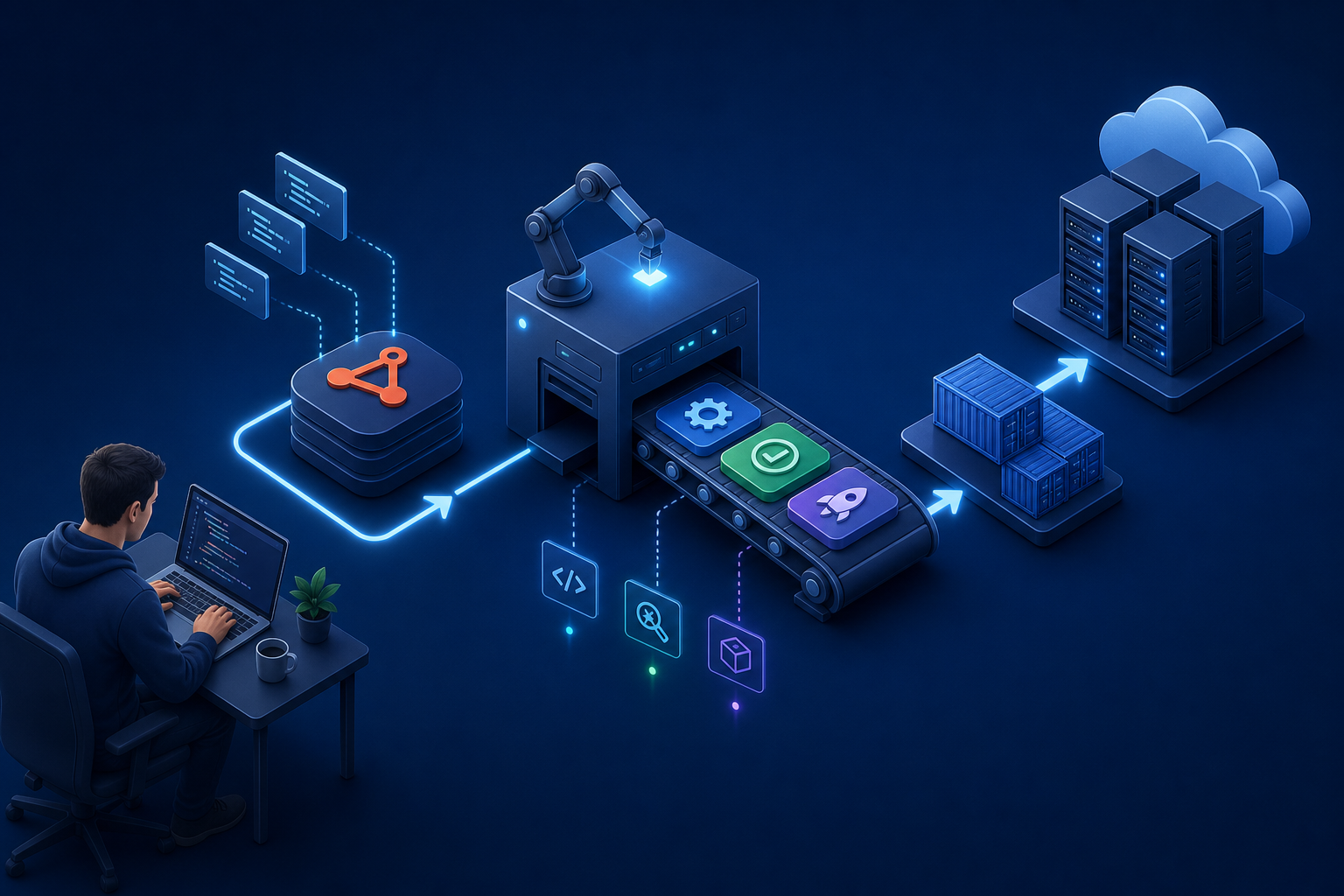
Jenkins is still one of the most common CI/CD platforms in enterprise environments. Developers push code; Jenkins builds, tests, packages, and deploys it. From an infrastructure engineer’s perspective, the job is not just “install Jenkins” — it is designing agents, securing credentials, wiring Git triggers, integrating with Docker or Kubernetes, and making sure production deployments are repeatable and recoverable.
This post walks through the full flow from a developer commit to a production release, then breaks down how to configure the pipeline, what infrastructure teams typically own, and the issues that show up most often in real environments.
Part of my Infrastructure learning notes. Full guide: Jenkins CI/CD page. Related topics: Ansible, Docker & Kubernetes.
Where the infrastructure engineer fits
In most organizations, responsibilities split like this:
| Area | Developer team | Infrastructure / platform team |
|---|---|---|
| Application code | Owns | Reviews deployment impact |
| Unit tests | Owns | Provides CI runners and tooling |
| Jenkinsfile / pipeline logic | Often co-owned | Enforces standards, templates, libraries |
| Jenkins controller and agents | Supports | Owns installation, patching, capacity |
| Credentials and secrets | Uses | Provisions and rotates |
| Build artifacts and registries | Consumes | Operates artifact repo / container registry |
| Target servers or clusters | Defines requirements | Provisions network, IAM, deploy access |
| Production approval gates | Business / release owner | Implements technical controls |
Infrastructure engineers make the pipeline possible and safe. Developers make the pipeline useful for their app.
End-to-end flow: developer push to production
Here is the full lifecycle in a typical enterprise setup using Git, Jenkins, a container registry, and staged environments.
Developer workstation
        |
        |  git push (feature branch or main)
        v
Git server (GitHub / GitLab / Bitbucket)
        |
        |  webhook or polling trigger
        v
Jenkins controller
        |
        |  assigns job to agent with required label/tools
        v
Jenkins agent (build node)
        |
        +--> Checkout source code
        +--> Install dependencies
        +--> Run unit tests
        +--> Run static analysis / security scan
        +--> Build artifact (JAR/WAR, zip, or Docker image)
        +--> Push artifact to registry (Nexus, Artifactory, ECR, GHCR)
        +--> Deploy to DEV (automatic)
        +--> Deploy to QA / STAGING (automatic or gated)
        +--> Manual approval for PRODUCTION
        +--> Deploy to PRODUCTION
        +--> Smoke tests / health checks
        +--> Notify team (email, Slack, Teams)
Step-by-step narrative
1. Developer pushes code
A developer commits to a feature branch and opens a pull request, or merges to main / develop depending on branching strategy. The push event is the starting point for automation.
2. Git server notifies Jenkins
Most teams use a webhook from GitHub/GitLab to Jenkins. Alternative: Jenkins polls the repository on a schedule (less efficient, but works when webhooks are blocked by firewalls).
3. Jenkins controller receives the event
The controller parses the payload (branch name, commit SHA, author) and decides which pipeline to run. Multibranch pipelines automatically create jobs per branch.
4. Agent selection
The controller schedules the build on an agent that has the right label — for example linux && docker for container builds, or windows && msbuild for .NET apps.
5. Continuous Integration (CI) stages
On the agent, Jenkins checks out the exact commit, runs tests, and fails fast if quality gates are not met. Failed builds should never proceed to deployment.
6. Artifact creation
Successful builds produce a versioned artifact. For containerized apps, this is usually docker build followed by docker push to a private registry with an immutable tag such as myapp:1.4.2 or myapp:git-a1b2c3d.
7. Continuous Delivery / Deployment (CD) stages
The same pipeline (or a downstream promotion pipeline) deploys the artifact to environments in order:
- DEV — every successful build on feature branches
- QA / STAGING — merges to
developor release branches - PRODUCTION — tagged releases with manual approval
8. Production verification
After deployment, automated smoke tests hit health endpoints. Monitoring and alerting confirm the new version is stable. Rollback uses the previous known-good artifact tag.
Jenkins architecture (what you actually deploy)
Controller (formerly master)
The controller is the brain:
- Stores job definitions and build history
- Schedules work to agents
- Serves the UI and API
- Holds credentials (encrypted) and system configuration
Infrastructure notes:
- Run on a dedicated VM or hardened host — not on a developer laptop
- Back up
$JENKINS_HOMEregularly (jobs, credentials metadata, plugins) - Keep controller patching on a maintenance schedule
- Restrict who has admin access; use RBAC
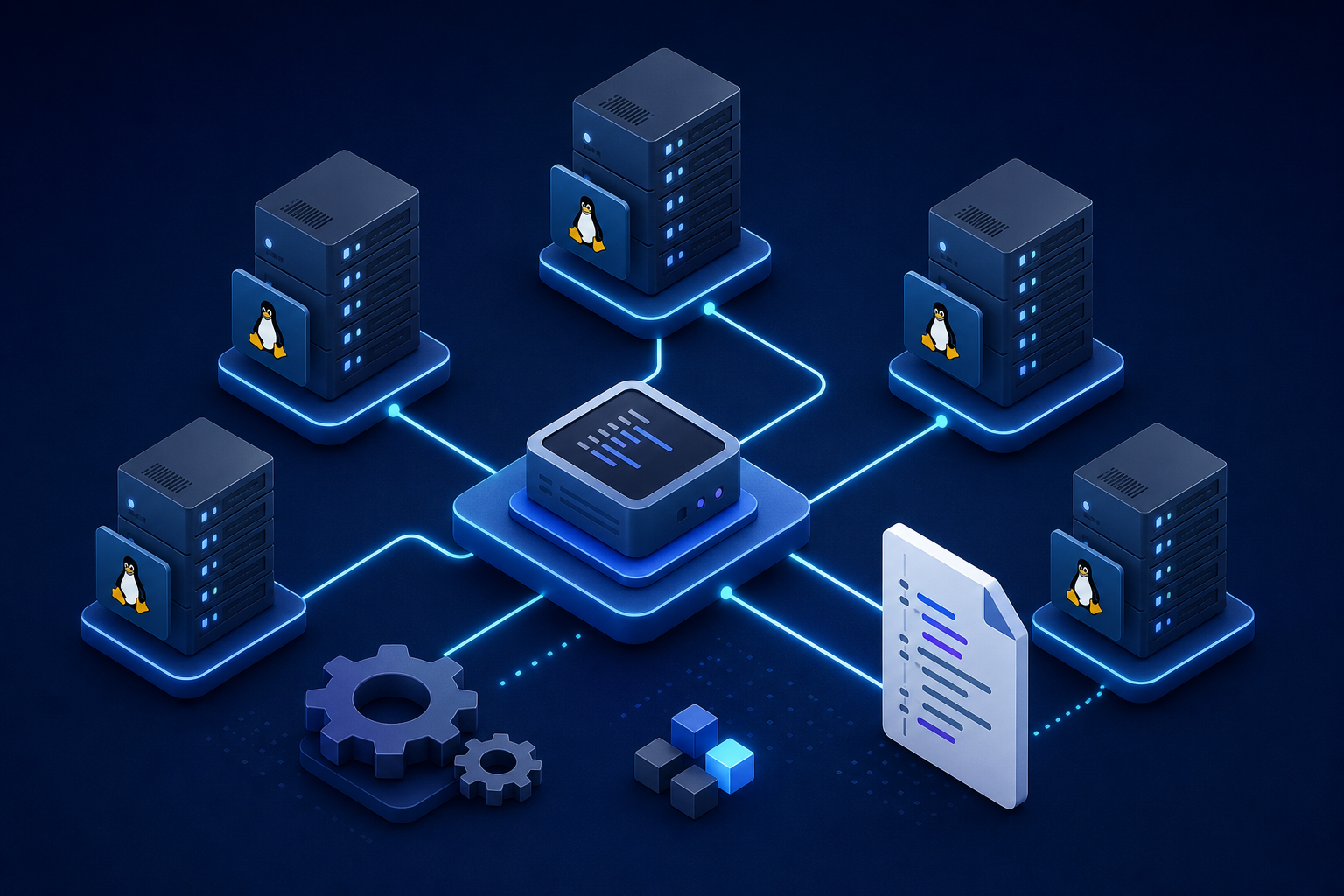
Agents (formerly slaves / nodes)
Agents execute pipeline steps:
- Can be static VMs, ephemeral Docker containers, or Kubernetes pods
- Need outbound access to Git, registries, and deployment targets
- Should be rebuilt or recycled to avoid stale toolchains
Common agent patterns:
| Pattern | When to use | Trade-off |
|---|---|---|
| Permanent Linux VMs | Stable toolchain, legacy apps | Manual patching burden |
| Docker agents | Clean environment per build | Requires Docker on host or DinD setup |
| Kubernetes agents | Cloud-native, elastic scale | More moving parts |
| SSH agents | Remote hosts already in estate | Network and SSH key management |
Pipeline configuration from an infrastructure perspective
Modern Jenkins uses Pipeline as Code — a Jenkinsfile in the repository. Infrastructure teams usually provide:
- A shared library (
vars/deployApp.groovy) for standard deploy steps - Credential IDs that pipelines reference but never embed
- Agent labels documented for each team
- Quality gate rules (must pass tests, no critical CVEs)
Example declarative Jenkinsfile
Below is a representative pipeline for a containerized application deploying to staging automatically and production with approval.
pipeline {
    agent { label 'linux && docker' }

    environment {
        APP_NAME        = 'myapp'
        REGISTRY        = 'registry.example.com'
        IMAGE_TAG       = "${env.BUILD_NUMBER}-${env.GIT_COMMIT.take(7)}"
        DEV_URL         = 'https://dev.myapp.example.com'
        STAGING_URL     = 'https://staging.myapp.example.com'
        PROD_URL        = 'https://myapp.example.com'
    }

    options {
        buildDiscarder(logRotator(numToKeepStr: '30'))
        timestamps()
        disableConcurrentBuilds()
        timeout(time: 45, unit: 'MINUTES')
    }

    triggers {
        // Git webhook is preferred; pollSCM is a fallback
        pollSCM('H/5 * * * *')
    }

    stages {
        stage('Checkout') {
            steps {
                checkout scm
            }
        }

        stage('Build & Unit Test') {
            steps {
                sh '''
                  python -m venv .venv
                  . .venv/bin/activate
                  pip install -r requirements.txt
                  pytest --junitxml=reports/junit.xml
                '''
            }
            post {
                always {
                    junit 'reports/junit.xml'
                }
            }
        }

        stage('Build Docker Image') {
            steps {
                script {
                    docker.build("${REGISTRY}/${APP_NAME}:${IMAGE_TAG}")
                }
            }
        }

        stage('Scan Image') {
            steps {
                sh '''
                  trivy image --severity HIGH,CRITICAL --exit-code 1 \
                    ${REGISTRY}/${APP_NAME}:${IMAGE_TAG}
                '''
            }
        }

        stage('Push to Registry') {
            steps {
                withCredentials([usernamePassword(
                    credentialsId: 'registry-credentials',
                    usernameVariable: 'REG_USER',
                    passwordVariable: 'REG_PASS'
                )]) {
                    sh '''
                      echo "$REG_PASS" | docker login $REGISTRY -u "$REG_USER" --password-stdin
                      docker push ${REGISTRY}/${APP_NAME}:${IMAGE_TAG}
                    '''
                }
            }
        }

        stage('Deploy to DEV') {
            when {
                branch 'develop'
            }
            steps {
                sshagent(credentials: ['dev-deploy-ssh-key']) {
                    sh '''
                      ssh deploy@dev-host "
                        docker pull ${REGISTRY}/${APP_NAME}:${IMAGE_TAG} &&
                        docker stop ${APP_NAME} || true &&
                        docker rm ${APP_NAME} || true &&
                        docker run -d --name ${APP_NAME} -p 8080:8080 \
                          ${REGISTRY}/${APP_NAME}:${IMAGE_TAG}
                      "
                    '''
                }
            }
        }

        stage('Deploy to Staging') {
            when {
                branch 'main'
            }
            steps {
                sshagent(credentials: ['staging-deploy-ssh-key']) {
                    sh '''
                      ssh deploy@staging-host "
                        docker pull ${REGISTRY}/${APP_NAME}:${IMAGE_TAG} &&
                        /opt/scripts/rolling_deploy.sh ${APP_NAME} ${REGISTRY}/${APP_NAME}:${IMAGE_TAG}
                      "
                    '''
                }
            }
            post {
                success {
                    sh "curl -f ${STAGING_URL}/health || exit 1"
                }
            }
        }

        stage('Approve Production Deploy') {
            when {
                branch 'main'
            }
            steps {
                timeout(time: 24, unit: 'HOURS') {
                    input message: 'Deploy to production?', ok: 'Deploy'
                }
            }
        }

        stage('Deploy to Production') {
            when {
                branch 'main'
            }
            steps {
                sshagent(credentials: ['prod-deploy-ssh-key']) {
                    sh '''
                      ssh deploy@prod-host "
                        docker pull ${REGISTRY}/${APP_NAME}:${IMAGE_TAG} &&
                        /opt/scripts/rolling_deploy.sh ${APP_NAME} ${REGISTRY}/${APP_NAME}:${IMAGE_TAG}
                      "
                    '''
                }
            }
            post {
                success {
                    sh "curl -f ${PROD_URL}/health || exit 1"
                }
                failure {
                    mail to: 'ops-team@example.com',
                         subject: "FAILED prod deploy: ${APP_NAME} ${IMAGE_TAG}",
                         body: "Build ${env.BUILD_URL}"
                }
            }
        }
    }

    post {
        always {
            cleanWs()
        }
    }
}
What each infrastructure-owned piece does
Agent label (linux && docker)
Ensures the job lands on a node with Docker installed. Labels are how you separate build farms by OS, security zone, or toolchain.
Credentials IDs
registry-credentials, dev-deploy-ssh-key, etc. are stored in Jenkins credential store. Pipelines reference IDs only — never plaintext secrets in Git.
Registry
Infrastructure provisions the container registry, TLS certificates, retention policies, and robot accounts for CI push access.
Deploy scripts on target hosts
/opt/scripts/rolling_deploy.sh is often maintained by platform teams. It handles drain, pull, restart, and rollback in a consistent way across apps.
Manual approval gate
The input step pauses the pipeline until a release manager approves. Some teams replace this with change-management tickets or GitOps promotion.
Alternative deployment targets
The same CI stages apply; only the deploy step changes.
Deploy with Ansible
After building the artifact, Jenkins triggers an Ansible playbook:
stage('Deploy with Ansible') {
    steps {
        ansiblePlaybook(
            playbook: 'deploy/app.yml',
            inventory: 'inventories/production',
            credentialsId: 'ansible-vault-password',
            extraVars: [
                app_version: "${IMAGE_TAG}",
                target_env: 'production'
            ]
        )
    }
}
Infrastructure owns inventory files, vault secrets, and SSH access from the Jenkins agent to managed nodes.
Deploy to Kubernetes
stage('Deploy to Kubernetes') {
    steps {
        withKubeConfig([credentialsId: 'k8s-prod-kubeconfig']) {
            sh '''
              kubectl set image deployment/myapp \
                myapp=${REGISTRY}/${APP_NAME}:${IMAGE_TAG} \
                -n production
              kubectl rollout status deployment/myapp -n production --timeout=300s
            '''
        }
    }
}
Here the infra team provisions namespaces, RBAC for the deploy service account, network policies, and ingress.
Branching strategy and promotion model
Pipelines behave differently based on branch rules:
| Branch | Typical trigger | Deploy target |
|---|---|---|
feature/* | Pull request or push | DEV only |
develop | Merge | DEV + QA |
main | Merge | Staging, then production with approval |
release/* or git tag | Tag push | Production |
Infrastructure engineers document which branches map to which environments so teams do not accidentally deploy feature code to production.
Security and compliance checklist
Before any production pipeline goes live:
- Least privilege — Jenkins service accounts can deploy only to intended environments
- Secrets in credential store — never in Jenkinsfile or console output (use
withCredentialsand mask passwords) - Immutable artifacts — tag images by commit SHA; do not reuse
latestin production - Scanning — SAST, dependency check, container image scan before push
- Audit trail — build logs, approver identity, artifact version deployed
- Network segmentation — production deploy agents may live in a restricted zone
- Plugin hygiene — remove unused plugins; patch Jenkins monthly
Common issues and how to troubleshoot them
These are the problems I see most often when supporting Jenkins in production.
1. Webhook not triggering builds
Symptoms: Developer pushes code; nothing happens in Jenkins.
Causes:
- Webhook URL wrong or blocked by firewall
- Jenkins URL not reachable from Git server (common with internal Jenkins)
- Multibranch job not indexed yet
- Branch filter excludes the pushed branch
Fix:
- Test webhook delivery in GitHub/GitLab webhook history
- Use a reverse proxy with valid TLS for Jenkins
- Run “Scan Multibranch Pipeline Now”
- Check
when { branch ... }conditions in Jenkinsfile
2. Agent offline or stuck builds in queue
Symptoms: Builds wait forever in queue; “Waiting for next available executor.”
Causes:
- Agent VM powered off or SSH connection failed
- Agent labels do not match pipeline
agent { label } - All executors busy; insufficient capacity
- Docker cloud plugin cannot spawn new agents
Fix:
- Check agent status on Jenkins dashboard
- Verify label expressions match
- Add agents or reduce concurrent builds
- Review Docker/Kubernetes agent template and resource limits
3. Permission denied during deploy
Symptoms: Build succeeds until SSH, kubectl, or registry push step.
Causes:
- Expired credential or rotated SSH key not updated in Jenkins
- Wrong credential ID referenced in Jenkinsfile
- Target host firewall blocks Jenkins agent IP
- SELinux or sudo restrictions on deploy user
Fix:
- Re-save credentials and test with a minimal pipeline
- Confirm agent IP is allowed on port 22 or 6443
- Use dedicated deploy user with forced command or Ansible for consistency
4. “Works on agent” toolchain mismatches
Symptoms: Builds pass on one agent, fail on another.
Causes:
- Different Java/Python/Node versions across agents
- Missing compiler or library on new agent
- Cached dependencies masking problems
Fix:
- Standardize agent images (golden VM or container agent template)
- Pin tool versions in pipeline (
tools { jdk 'jdk17' }) - Use declarative
agent { docker { image '...' } }for reproducibility
5. Docker build failures / no space left on device
Symptoms: Intermittent docker build failures, pull errors.
Causes:
- Docker layer cache filled disk on agent
- DinD (Docker-in-Docker) misconfiguration
- Registry storage full
Fix:
- Schedule
docker system pruneon agents (carefully) - Monitor disk on build nodes
- Use ephemeral agents that are destroyed after each build
6. Flaky tests causing random pipeline failures
Symptoms: Same commit passes then fails without code changes.
Causes:
- Tests depend on external services or timing
- Shared test database state
- Parallel test race conditions
Fix:
- Quarantine flaky tests; infrastructure provides stable test dependencies where possible
- Use test containers or dedicated QA environment for integration tests
- Retry only at the test framework level, not blind pipeline retries to production
7. Production deploy succeeds but app is unhealthy
Symptoms: Pipeline green; users report errors.
Causes:
- Smoke test too shallow (
/returns 200 but API broken) - Database migration not run
- ConfigMap / environment variables not updated
- Load balancer still draining old instances
Fix:
- Add meaningful health checks post-deploy
- Separate migration stage with rollback plan
- Use blue/green or canary deploy scripts
- Verify monitoring alerts fire on error rate spikes
8. Plugin upgrade breaks pipelines
Symptoms: Jenkins upgrade or plugin update causes immediate mass failure.
Causes:
- Deprecated pipeline steps
- Breaking API change in shared library
- Java version mismatch after controller upgrade
Fix:
- Test upgrades on staging Jenkins controller first
- Pin plugin versions; upgrade deliberately
- Keep controller and agent Java versions aligned
9. Credential exposure in console logs
Symptoms: Passwords or tokens visible in build output.
Causes:
- Echoing environment variables
- Shell commands printing secrets
- Misconfigured
withCredentialsmasking
Fix:
- Never
echosecrets; use--password-stdinpatterns - Enable Jenkins credentials masking
- Scan build logs in audits
10. Slow pipelines blocking releases
Symptoms: Full pipeline takes hours; teams bypass process.
Causes:
- Sequential stages that could parallelize
- No caching for dependencies
- Oversized test suites run on every commit
Fix:
- Parallelize independent stages (
parallel { ... }) - Cache Maven/npm/pip directories on agents
- Run full regression only on merge to main; lighter checks on feature branches
Operational runbook (infrastructure daily/weekly tasks)
Daily
- Glance at failed builds queue and agent connectivity
- Check disk and memory on controller and permanent agents
Weekly
- Review plugin update advisories
- Validate backup restore test for
$JENKINS_HOME - Rotate short-lived tokens where policy requires
Per release
- Confirm artifact promoted matches approved git tag
- Verify monitoring dashboards for new version
- Document rollback artifact tag before deploy
How Jenkins fits the rest of the stack
Jenkins rarely operates alone. In infrastructure environments it typically connects to:
- Git — source of truth for code and Jenkinsfile
- Ansible — configuration and deploy automation on VMs
- Docker / Kubernetes — packaging and orchestration
- Artifact registry — immutable build outputs
- Monitoring — confirm deploy health after pipeline completes
If you are building a platform from scratch, start with one application, one pipeline, and one non-production environment. Get checkout → test → build → deploy working reliably before adding scanning, multi-environment promotion, and production approvals.
Related reading
- Ansible automation — configuration management and deploy playbooks
- Docker & Kubernetes — container build and cluster deploy patterns
- Infrastructure overview — full topic index
If you want a follow-up post on Jenkins shared libraries, Kubernetes agents, or GitOps with Argo CD alongside Jenkins, that is a natural next step once the basic pipeline is stable.