Docker & Kubernetes
Containers changed how infrastructure teams ship software. Instead of configuring every server by hand, you package an application with its dependencies into an image, run it consistently anywhere, and let Kubernetes handle scaling, recovery, and rollout when you move into production.
This page is a focused reference for how Docker and Kubernetes fit into the broader systems and DevOps work I do with Linux, automation, and cloud platforms.
Part of my Infrastructure learning notes.
Why containers matter
Traditional deployments tie applications to specific hosts. A package compiled on one RHEL version may fail on another. Containers solve that by bundling:
- Application code
- Runtime dependencies
- Configuration defaults
- Isolated filesystem and process space
That makes builds more repeatable and releases easier to test before they reach production.
Docker: build, ship, run
Docker is the tool most teams use to build images, publish them to a registry, and run containers on a host.
Core concepts
| Concept | What it means |
|---|---|
| Dockerfile | Recipe for building an image layer by layer |
| Image | Immutable template used to create containers |
| Container | Running instance of an image |
| Registry | Storage for images, such as Docker Hub, GHCR, or a private registry |
| Volume | Persistent storage mounted into a container |
Typical workflow
- Write a
Dockerfile - Build an image with
docker build - Push the image to a registry
- Pull and run it on a server or in a cluster with
docker runor an orchestrator
Example Dockerfile
FROM python:3.12-slim

WORKDIR /app
COPY requirements.txt .
RUN pip install --no-cache-dir -r requirements.txt

COPY . .
EXPOSE 8080
CMD ["python", "app.py"]
Commands I use most often
docker build -t myapp:1.0 .
docker images
docker run -d -p 8080:8080 --name myapp myapp:1.0
docker logs -f myapp
docker exec -it myapp /bin/bash
When Docker is enough on its own
Docker alone works well for:
- Local development environments
- Single-host deployments
- CI build and test pipelines
- Small services with simple uptime requirements
Once you need automatic restarts across multiple machines, rolling updates, service discovery, and horizontal scaling, you usually move to Kubernetes.
Kubernetes: orchestration at scale
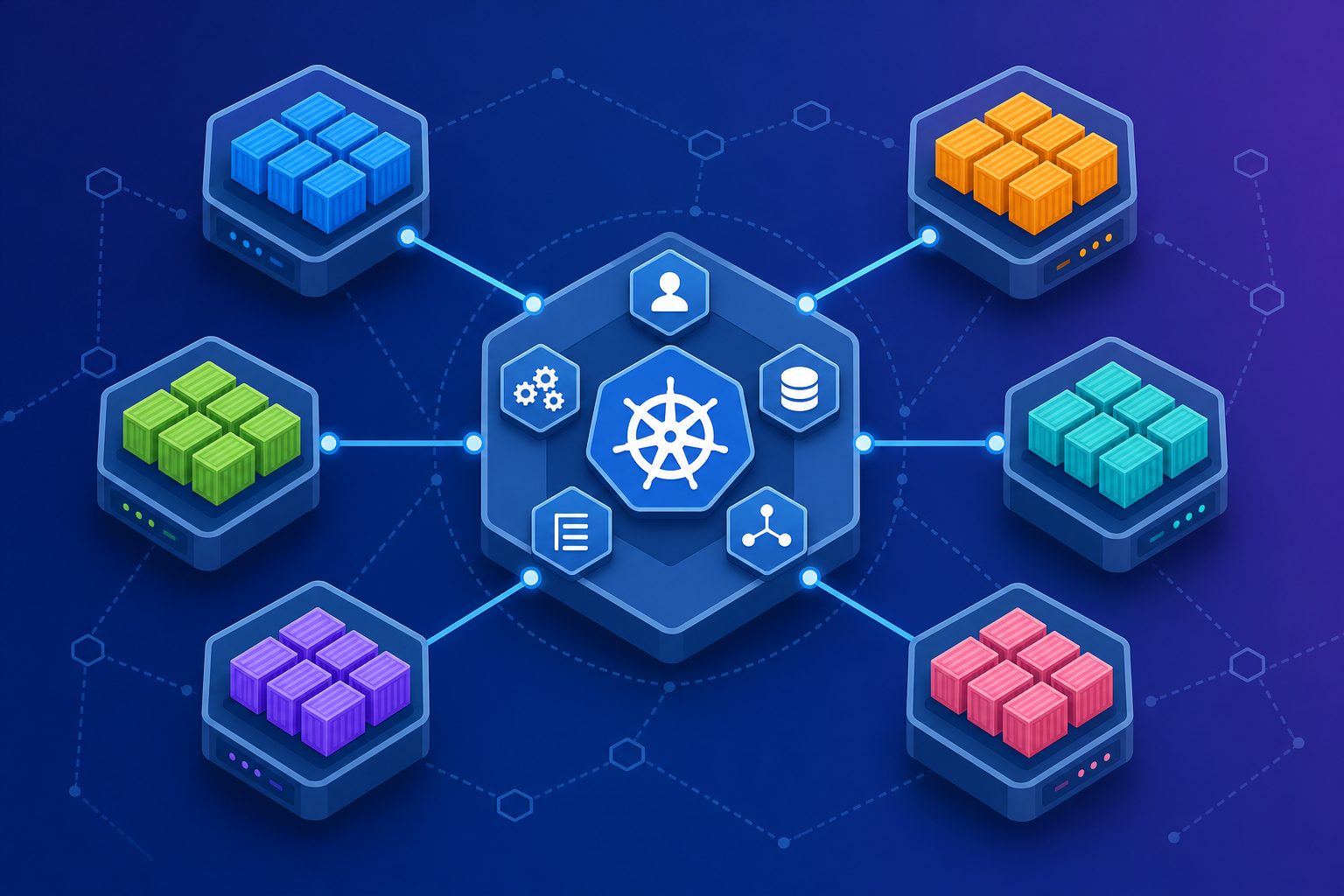
Kubernetes manages containerized workloads across a cluster of nodes. You describe the desired state, and Kubernetes continuously works to match reality to that state.
Core concepts
| Concept | What it means |
|---|---|
| Cluster | Group of nodes managed by Kubernetes |
| Node | Worker machine that runs pods |
| Pod | Smallest deployable unit, usually one or more containers |
| Deployment | Manages replicated pods and rollout strategy |
| Service | Stable network endpoint in front of pods |
| Ingress | HTTP routing into the cluster |
| Namespace | Logical isolation boundary |
How the pieces connect
Developer -> Dockerfile -> Image -> Registry
                                      |
                                      v
                              Kubernetes Deployment
                                      |
                         +------------+------------+
                         |            |            |
                       Pod          Pod          Pod
                         \            |            /
                          \           |           /
                           +--> Service --> Ingress
Example Deployment
apiVersion: apps/v1
kind: Deployment
metadata:
  name: myapp
spec:
  replicas: 3
  selector:
    matchLabels:
      app: myapp
  template:
    metadata:
      labels:
        app: myapp
    spec:
      containers:
        - name: myapp
          image: myregistry/myapp:1.0
          ports:
            - containerPort: 8080
What Kubernetes gives you that Docker alone does not
- Self-healing — failed pods are recreated
- Scaling — increase replicas on demand
- Rolling updates — deploy new image versions safely
- Service discovery — pods get stable internal networking
- Scheduling — workloads spread across healthy nodes
Docker vs Kubernetes
| Area | Docker | Kubernetes |
|---|---|---|
| Primary role | Build and run containers | Orchestrate containers across many hosts |
| Best for | Dev machines, simple services, CI builds | Production platforms, microservices, HA systems |
| Scaling | Manual or external tooling | Built-in replica and autoscaling patterns |
| Networking | Bridge/host networks per host | Cluster-wide Services and Ingress |
| Operations | Single daemon per host | Control plane + worker nodes |
In practice, they work together: Docker builds the image, Kubernetes runs it reliably at scale.
How this connects to my work
From systems engineering and automation work, containers show up in a few common patterns:
- CI/CD pipelines — Jenkins or GitHub Actions builds an image, runs tests in a container, then publishes to a registry
- Environment consistency — dev, staging, and production use the same image with different config
- Infrastructure automation — Ansible or scripts prepare hosts, then Kubernetes or Docker runs the workload
- Cloud migration — lift-and-shift first, then refactor into containerized services
My resume and day-to-day work emphasize Linux administration, VMware, automation, and production support. Docker and Kubernetes are the next layer on top of that foundation when teams want faster releases and more portable applications.
Practical learning path
- Containerize one real app — start with a simple Python, Node, or shell-backed service
- Push to a registry — practice tagging and versioning images
- Run locally with Docker Compose — learn multi-container apps
- Deploy to a small Kubernetes cluster — minikube, kind, or a cloud-managed cluster
- Add observability — logs, health checks, and resource limits
Related topics on this blog
- Infrastructure overview
- From VMware to Kubernetes — how VMs map to Pods and where the analogy breaks down
- Veritas Clustering
- Welcome — why I started writing about infrastructure
- About — my background in systems engineering and automation
If you want to go deeper on a specific topic — Dockerfiles, Helm, ingress, or CI/CD image pipelines — that is a good candidate for a future blog post.